
Software patches are the backbone of modern IT resilience, shaping how organizations approach patch management, security updates, and vulnerability patches to keep systems secure. A proactive patching strategy aligns with best practices for patching and treats updates of software as a continuous security control rather than a one-off task. By prioritizing risk and testing changes in a controlled environment, teams can minimize downtime during patch deployment while maximizing protection. An optimized approach starts with accurate asset inventory, clear change governance, and staged rollouts that reduce unexpected compatibility problems. Together, these practices help organizations stay ahead of threats while sustaining performance and compliance.
In other words, keeping software current means regular updates, security fixes, and vulnerability remediation across operating systems, applications, and devices. This broader view emphasizes update management, controlled rollout strategies, and governance that guide when and how patches are applied. By framing patches as a continuous risk-reduction program, teams can balance rapid fixes with compatibility testing and change-control processes. A successful remediation program uses phased deployments, clear rollback paths, and ongoing monitoring to protect users and data. In practice, organizations align with industry standards and adopt proactive update cycles to sustain resilience.
Understanding Software patches: What they are and why patch management matters
Software patches are the essential fixes that keep systems secure and reliable. They address bugs, close security vulnerabilities, improve performance, and sometimes introduce small feature enhancements. Patches come in security patches (vulnerability patches) and non-security updates, and they form a critical part of patch management in modern IT environments.
In today’s threat landscape, the timely application of Software patches is not optional—it’s a fundamental element of risk management and operational resilience. Treat patches as a continuous security control rather than a one-off maintenance task. A structured patch deployment approach helps minimize exposure while maintaining uptime.
The Patch Management Lifecycle: From Inventory to Validation
The Patch Management Lifecycle kicks off with accurate inventory and discovery, then moves through prioritization, testing, deployment, and verification. This lifecycle anchors patch management in real assets and real risks, ensuring that every patch aligns with security updates and business priorities.
By applying discipline to risk-based prioritization, CVSS scores, and change management, organizations can validate patches before broad deployment. This approach reduces downtime and strengthens your patch deployment strategy while meeting governance and compliance needs.
Types of Patches: Security Patches, Bug Fixes, and More
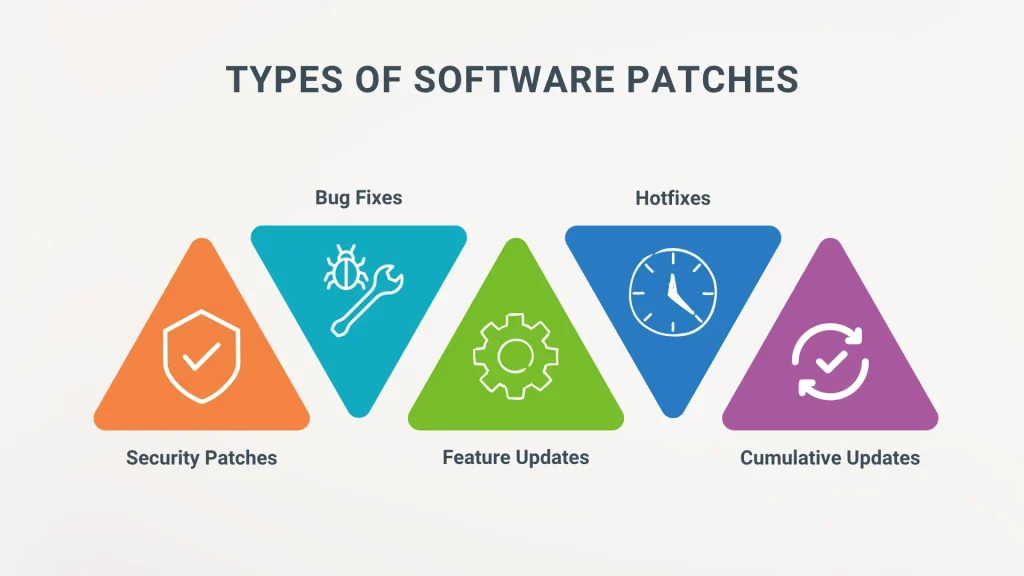
Patch types vary: security patches (vulnerability patches) that fix gaps attackers may exploit, bug fixes that improve stability, and feature patches that add capabilities. Each patch type deserves different scrutiny and scheduling within a patch management program.
Firmware, driver, and application patches complete the portfolio, and non-security patches should be tested to avoid regressions. A holistic view of patch types keeps patch deployment aligned with best practices for patching and minimizes surprises in production.
Best Practices for Patching: Building a Resilient Program
Best practices for patching start with an accurate asset inventory and risk-based prioritization. Knowing what software, hardware, and firmware you have—along with versions and dependencies—is essential for effective patching and patch management.
Establish formal change management, test patches in a staging environment, schedule maintenance windows, implement phased rollout and canary releases, and automate where appropriate while maintaining human oversight. These steps embody best practices for patching and drive reliable patch deployment.
Patch Deployment Strategies: Safe and Incremental Rollouts
Patch Deployment Strategies emphasize controlled, low-risk rollouts and protection against downtime. Use automatic updates where appropriate, but couple them with safeguards, testing, and post-install validation to maintain security updates and system stability.
Adopt staged rollout, time-bound maintenance windows, clear rollback plans, and vendor integrity checks to guard against faulty patches. A well-planned patch deployment program reduces blast radius and accelerates detection of issues.
Security and Compliance: Patches as a Governance Control
Security and Compliance considerations show that patching is a governance activity, not just an IT task. Regular software patches help meet regulatory requirements and support risk management frameworks by closing vulnerabilities promptly.
Documentation, audits, and adherence to standards such as NIST SP 800-40 and ISO 27001 controls support ongoing improvement of patch management processes. A mature program aligns patch deployment with governance, patch status reporting, and continuous improvement.
Frequently Asked Questions
What role do Software patches play within patch management, and why are they essential for security updates?
Software patches are targeted fixes that address vulnerabilities and improve stability. In patch management, timely application of patches reduces exposure to exploits and supports compliance. Regularly deploying security updates through patch management helps maintain a resilient, up-to-date environment.
How do security patches (vulnerability patches) differ from bug fixes in patch deployment?
Security patches address exploitable vulnerabilities; bug fixes resolve defects that affect functionality. In patch deployment, prioritize security patches based on risk, severity, and exposure.
What are best practices for patching to minimize downtime and maximize security?
Maintain an accurate asset inventory, prioritize patches by risk, test in staging, plan maintenance windows, and use phased rollout with rollback options. These best practices for patching help reduce disruption while improving protection.
How should an organization prioritize patches in patch management to reduce risk?
Use risk-based scoring, consider asset criticality and exposure, and focus on high-severity security patches first. Maintain a formal change-management process and validate patches before production.
What patch deployment strategies balance speed and safety in software updates?
Adopt staged rollout, pilot groups, time-bound maintenance windows, and robust rollback plans. Combine automatic updates with governance controls to balance speed with safety.
Which tools support vulnerability patches and timely security updates in patch management?
Vulnerability scanners, CMDBs, patch management software, and patch deployment automation help detect, test, and deploy patches efficiently. These tools enable monitoring, reporting, and governance to ensure timely vulnerability patches and security updates.
| Topic | Key Points |
|---|---|
| What are Software patches? | A patch is code designed to fix bugs, close security vulnerabilities, improve performance, or add features. They include security patches and non-security patches. They are best treated as a continuous security control rather than a one-off maintenance task. |
| Why patch management matters? | Delays leave vulnerabilities open, increasing risk of data breaches, outages, and compliance failures. A balanced, structured patch management process minimizes downtime and compatibility issues. Treat patches as ongoing security controls rather than a one-off task. |
| Patch Management Lifecycle | Inventory and discovery; Prioritization and risk assessment; Testing and staging; Deployment and change management; Verification and reporting. |
| Types of patches | Security patches (vulnerability patches); Bug fixes; Feature patches and updates; Firmware and driver patches. |
| Best Practices for Patching | Build and maintain an accurate asset inventory; Prioritize patches by risk and exposure; Formal change-management process; Test patches before production; Schedule maintenance windows and communicate; Phased rollout and canary releases; Verify patch success and monitor post-deployment; Automate where appropriate with human oversight; Maintain backups and rollback plans; Review and update policies. |
| Patch Deployment Strategies | Automatic updates with safeguards; Staged rollout; Time-bound maintenance windows; Rollback and recovery readiness; Vendor and supply-chain considerations. |
| Security & Compliance | Patching supports security governance and compliance with standards. Align practices with frameworks like NIST SP 800-40 and ISO 27001; maintain documentation from the patch lifecycle for audits. |
| Common Challenges | Downtime and service impact; Compatibility and breakages; Patch fatigue and staffing gaps; Legacy/OT environments; Patch deferral risks. |
| Tools & Technologies | Vulnerability scanners; Configuration/Asset management (CMDB/CM); Patch management software; Endpoint protection/EDR; Change-management tooling; Cloud-native update mechanisms. |
| A Practical Example | A mid-sized organization with Windows/Linux servers (on‑prem and cloud) detects a high-severity patch, prioritizes it, tests in a staging environment, deploys in phases, monitors results, documents outcomes, and rolls back if issues arise. |
| Bottom Line | Software patches are foundational to cyber resilience. A well‑structured patch management program reduces risk, improves stability, and supports compliant, timely vulnerability remediation. |
Summary
Software patches are the frontline defense in modern IT, and a disciplined patch management process delivers measurable security and operational benefits. By building an up‑to‑date asset inventory, prioritizing patches by risk and exposure, testing patches in staging, and executing controlled deployments with rollback protections, organizations can reduce the attack surface while maintaining uptime. A proactive approach—combining governance, automation where appropriate, and ongoing policy reviews—helps ensure timely remediation of vulnerabilities, alignment with standards, and resilience against evolving threats. Embracing best practices for patching and leveraging the right tools enables reliable Software patches deployment without compromising performance or user experience.
